
Bring 1,000 photos
back to life. In one click.
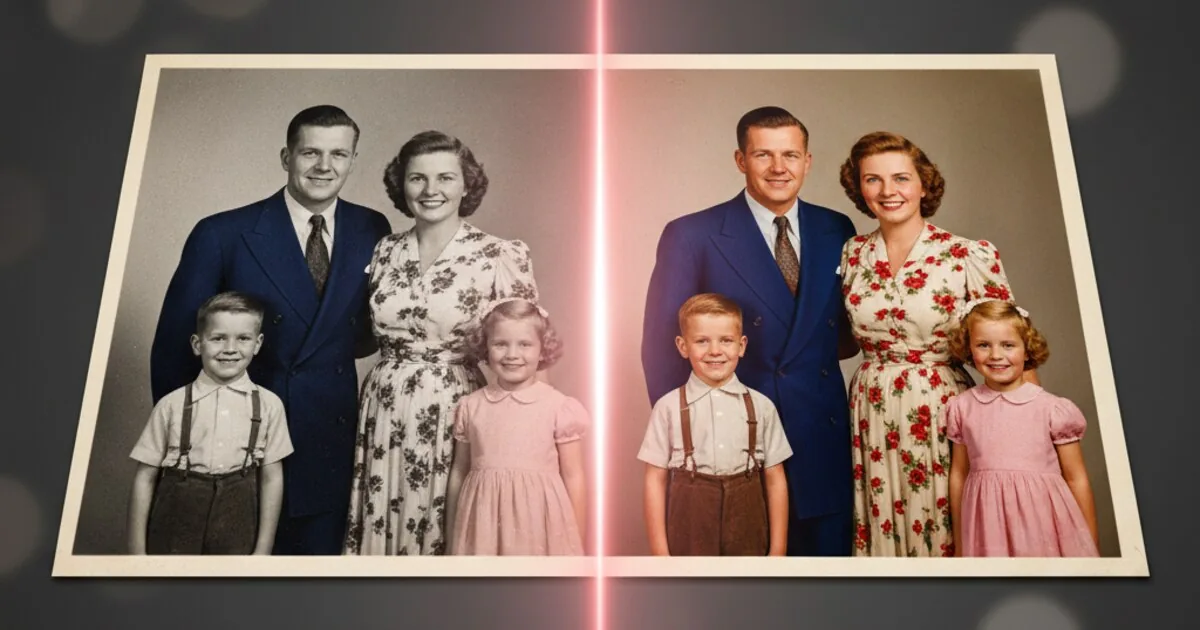
Revive is a Google Drive workspace app that colorizes black-and-white photos at massive scale. Open the Revive side panel, pick files or a folder, click Colorize — 1, 100, or 10,000 images, restored copies in your Drive. Your files never leave Google's infrastructure.
Three Steps. No Uploads.
Revive runs inside Google Drive. Your files never leave Google's infrastructure.
Install the plugin
Add Revive from the Google Workspace Marketplace. Two clicks, one consent screen. No downloads. No accounts to create.
Pick your files or folder
Open the Revive side panel, then click a black-and-white photo, a whole folder, or hold Cmd/Ctrl to multi-select. Your picks appear in the panel as you go.
Click Colorize
Confirm the count, hit colorize. Watch progress live. Colorized copies land in the same folder, named filename-color.jpg.
Built for Volume
Most colorization tools handle one image at a time. Revive handles thousands — without leaving Drive.
Family archives
Decades of photo albums scanned into a Drive folder. Colorize the whole shoebox in minutes — not weekends.
Studio & estate restoration
Production stills, behind-the-scenes archives, and estate libraries. Batch by folder, audit by usage log.
Historical & archival
Library, museum, and university B&W collections. Process by folder, results stay inside the institution's Drive.
Photographers
Bring back vintage shoots and reference libraries at scale. Same image credits across every workspace user on your billing account.
Drive-Native by Design
Files stay in Drive
Revive reads files from your Drive, processes them, and writes the results back. There's no third-party storage. No "upload your photos here." No copies sitting on a server you don't control.
Folder-aware
Point at a folder, point at 50, point at one. Revive expands selection by folder tree and queues every image automatically. Sub-folder structure is preserved in the output.
Pay per image
1 image = 1 colorized photo. Buy a pack, use it across every Workspace user on your billing account. Image credits never expire. Failed jobs are auto-refunded.
Audit trail
Every job — count, files, images spent, who ran it — shows up in the Tasks dashboard and Usage report. Built for teams, not just one person.
Pay per photo. No subscription.
1 image = 1 colorized photo. The bigger the pack, the lower the per-photo cost — down to 5¢ at the largest pack.
Try it on three of your photos.
Install from the Workspace Marketplace, pick three photos in Drive, click Colorize — your first three Revives are free. No card. No commitment.